

Best IT Support Tips to Back Up Data for Disaster Recovery

The University of Texas has found in a survey that 94% of companies that suffer data loss, lead to wrapping up their businesses.
If you don’t want to meet this catastrophic end, you need to take some proactive steps for getting away from this threat.
Before getting started with learning preventive tips about managed IT support for protecting data, let’s get to know the kinds of risks that may interfere with your business databases:
- Environmental Risks
Environmental risks are natural disasters like floods, earthquakes, hurricanes, or other disasters that are also incorporated with downtime, which eventually adds up to the overall data loss. These risks are unpredictable, so it’s better to safeguard your data through a proper backup system. This is the only way to get away from the monetary loss due to downtime.
- External Risks
These kinds of risks are increased with the increased frequency of data exchange. Most of the massive ones viz. malware, phishing, DoS, and third-party app attacks are caused by malicious intent, which can be extortion and any other one.
- Internal Risks
As its name suggests, this is what you can suffer from on your own premises. Unlike external risks, these mistakes happen unintentionally. The reason can be knowledge or communication gaps or employee mistakes.
Tips to Protect Data
Companies or businesses should have a backup and disaster recovery plan in this era of telework, wherein grappling with malicious IT attacks is common. You can consult with an experienced IT support consultant or expert to ensure no data loss and no downtime.
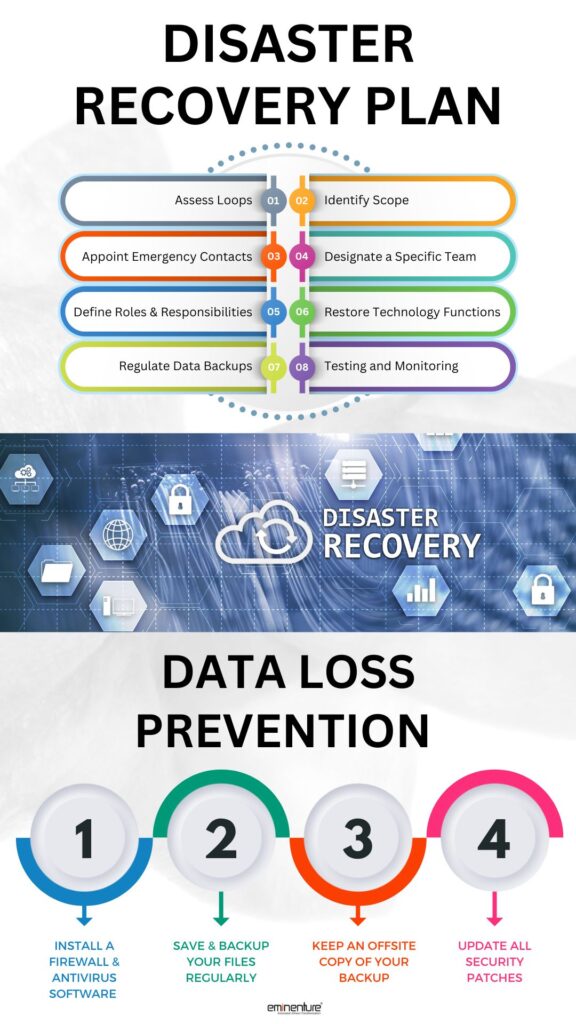
Generally, professional IT experts segment a backup plan into three groups, which are given below:
- Local Backup
This is a typical method of baking up data on your devices. The devices are on-site storage mediums or external devices connected through a local network. External devices like USBs, Thumb Drives, or Flash Drives can be used to access the field on-site, which offers protection. These are the backup hardware that is inexpensive, and you can control them radically. But, they cannot be protected against theft and natural disasters. Besides, these things can be damaged or lost.
- Cloud Backup
Cloud storage is all around the corner, offering security to crucial information. These are mainly available as public and private clouds. Dropbox, Google Drive, and many other public cloud alternatives are an alternative to keep your information safe and virtually accessible from anywhere.
But, the most secure is the private cloud, which can be managed internally or externally. Some extra layers of security keep your data invulnerable, which can be accessed through the right applications that are authorized for your business requirements. Unfortunately, the external security risks would be more than ever.
- Hybrid Backup
Local and cloud backups have their own threats, but hybrid backup is better than both of them. This method lets you store data locally on any device that you prefer, such as a computer hard drive or local server in your office. Then, the external server is linked to copy and paste for off-premises cloud backup.
Many companies rely on the 3-2-1 rule, which refers to creating three copies of data (i.e. 1 primary and 2 backups), storing them on two types of storage (i.e. your device or local storage), and storing one of those three off-sites.
These are all some of the concrete tips that have been tried and tested to protect the potential threats. Even, you can correctly back up your company’s sensitive information on one of the best methods that you can afford and utilize for managed IT services. This is how you can keep business continuity with no data loss.


Post Comment
Your email address will not be published. Required fields are marked *